Features
Everything in Wagglebase, from the first booking to the paid invoice
One app for the office, one view for the pavement and one portal for your clients. Here is what each part does.
Run the day
The office side of a walking round: today, the week ahead and the phone in your pocket.
Keep clients close
Reports, a portal and messages that make owners feel looked after without extra typing.
Get paid
From a finished walk to a paid invoice, with the tax right and tips on top.
Grow the business
Records, a team, a public page and the numbers behind a bigger round.
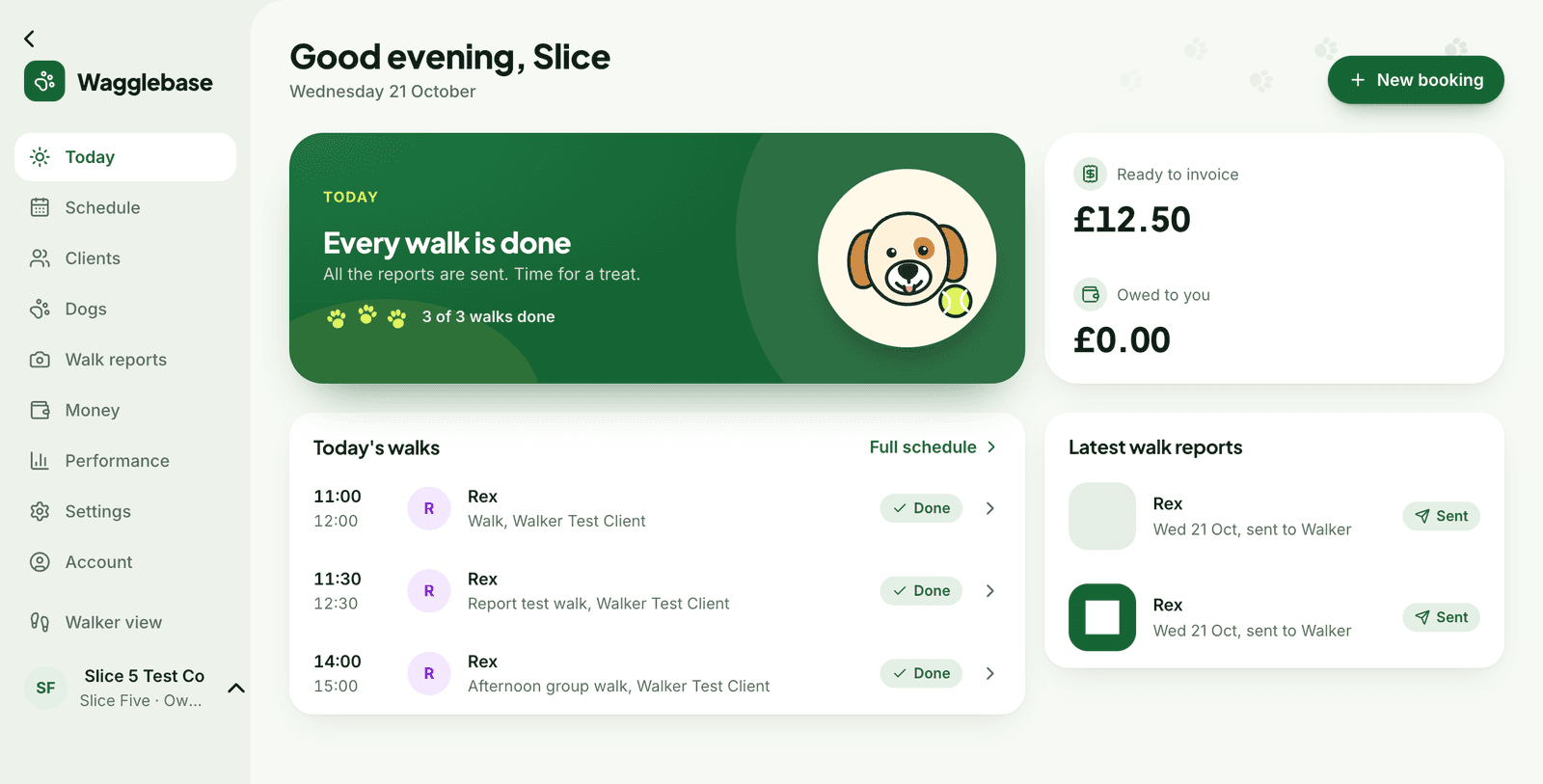
Start every day knowing what is next
The next walk sits at the top with the dogs on it and their handling notes. Below it, the day's walks, the latest reports and what the business is owed.
- Requests from clients, with Approve and Decline in one tap
- Ready to invoice and owed to you, always in view
- Overdue invoices flagged under Needs attention
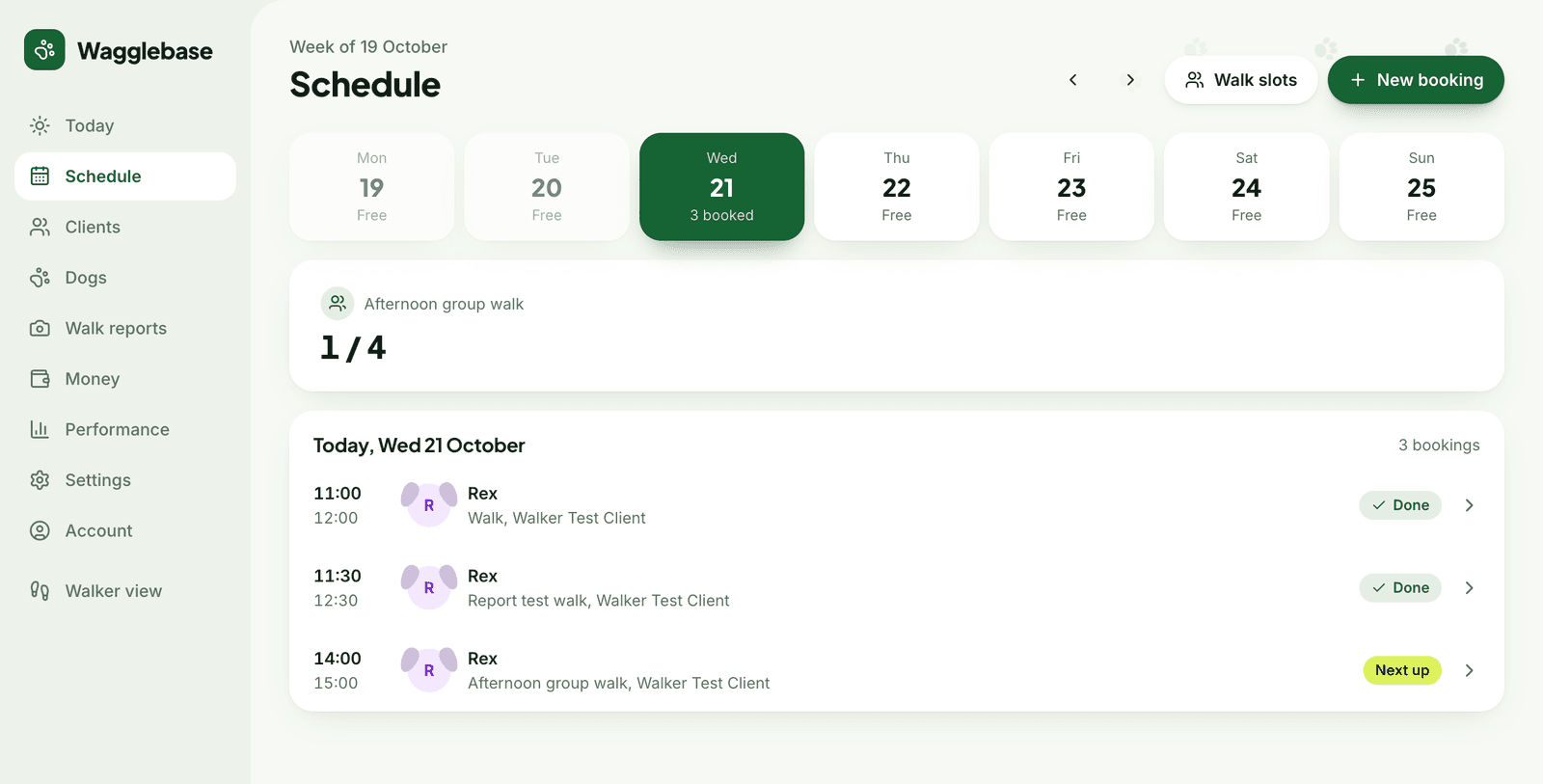
A week you can see at a glance
Set up your rounds once as recurring walk slots: which days they run, what time, and how many dogs fit. Then book clients in, or let them request a space.
- Capacity enforced, so a slot can never be overbooked
- Book into a slot or set a custom time, repeating weekly if you like
- Open a slot to everyone, to certain rounds, or to chosen clients
- Cancel one walk or every following one in a series
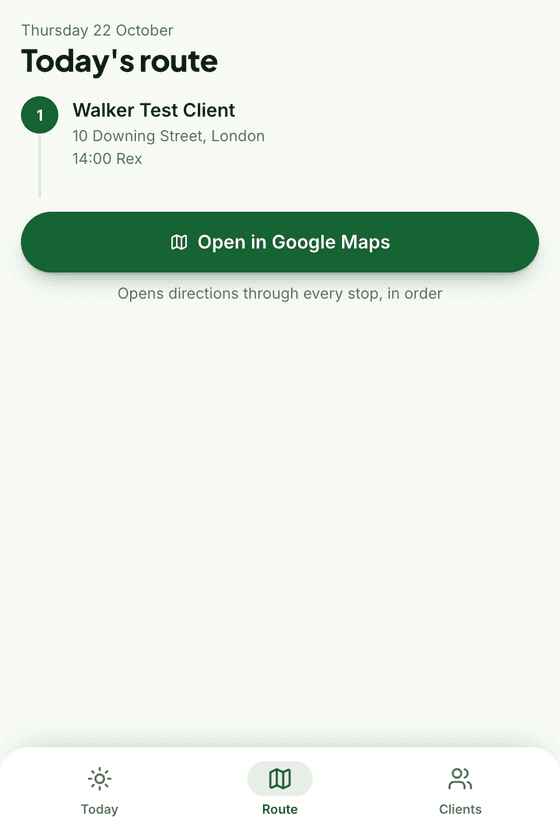
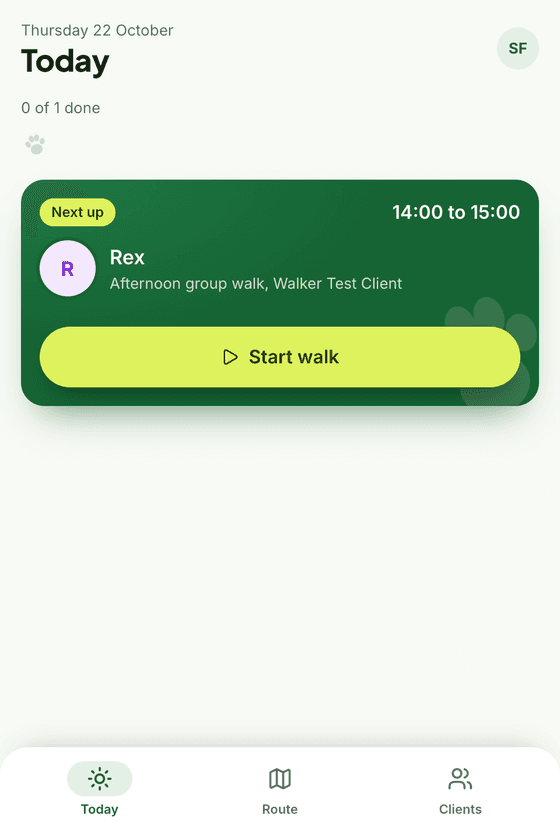
Built for the pavement, not the desk
A phone-sized view of the day. Start the walk, add photos and video as you go, write a note with one-tap phrases, and finish. The report is sent the moment you do.
- Uploads happen during the walk and retry on patchy signal
- Today's route in order, with every stop opening in Google Maps
- Every client and dog, with vet, medical and allergy notes, one tap away
- Add it to your home screen and it opens like an app
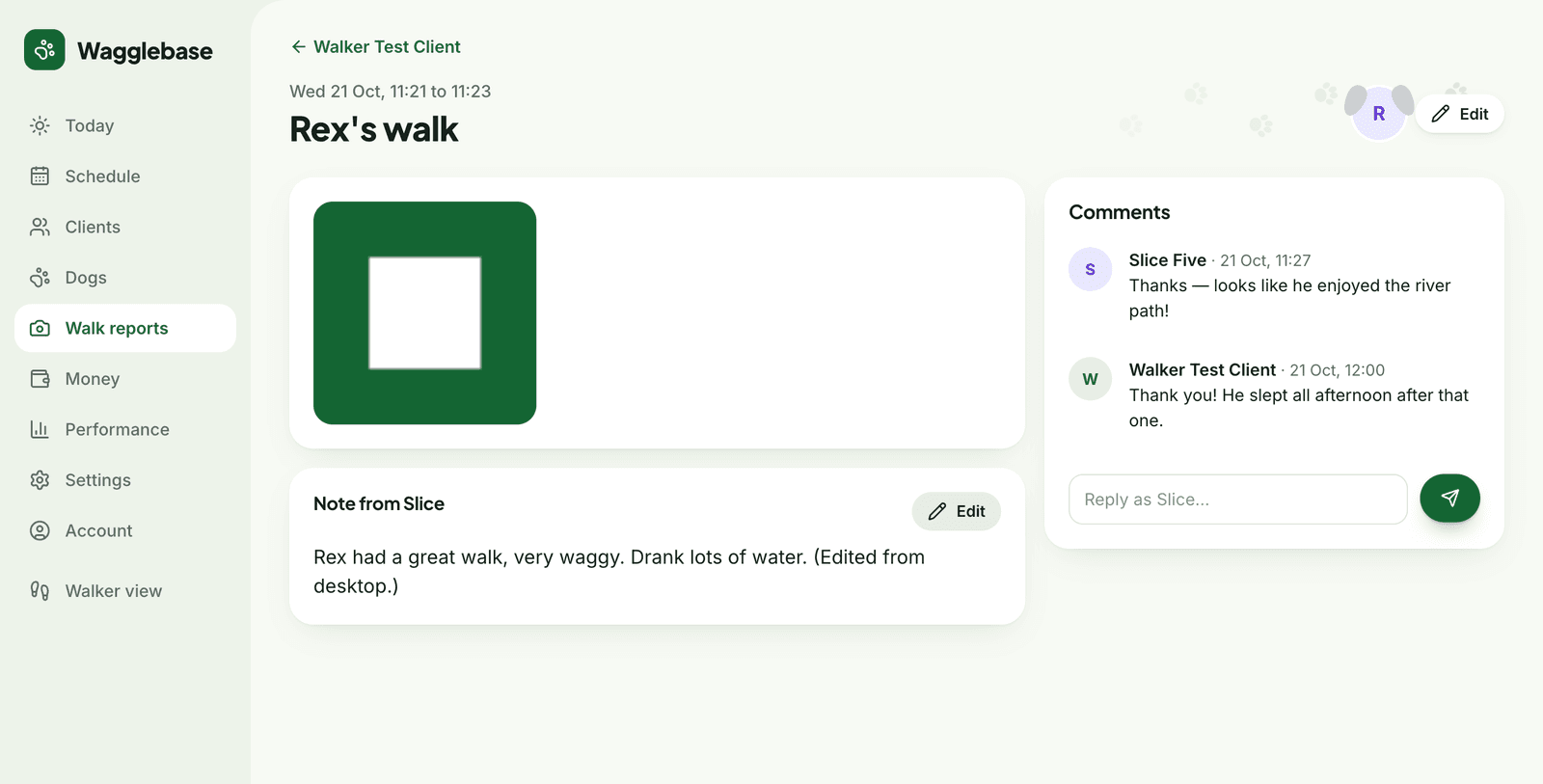
Every walk, written up and kept
Photos, video, the times and a note from you, filed against the dog and the client. Owners can comment, and you can reply from the office or the phone.
- A searchable archive, filtered by client or location
- Edit the note afterwards, from any screen
- Reports appear on the client's page and the dog's profile
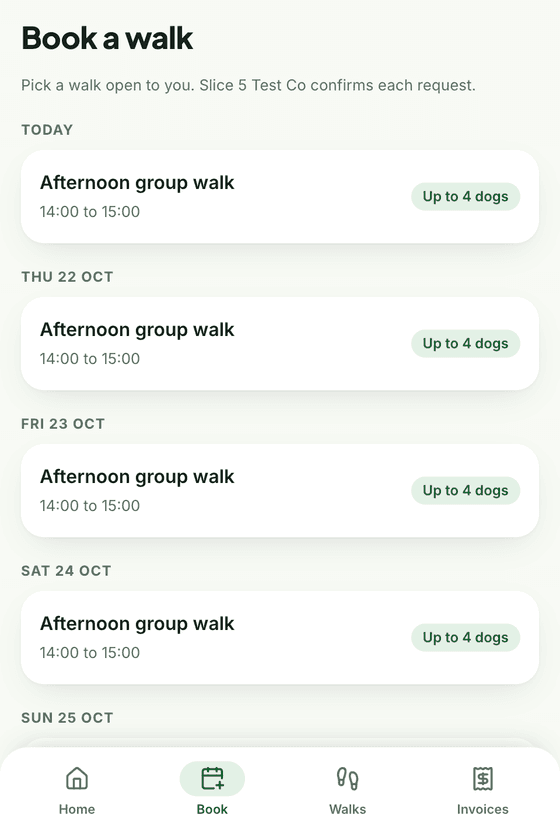
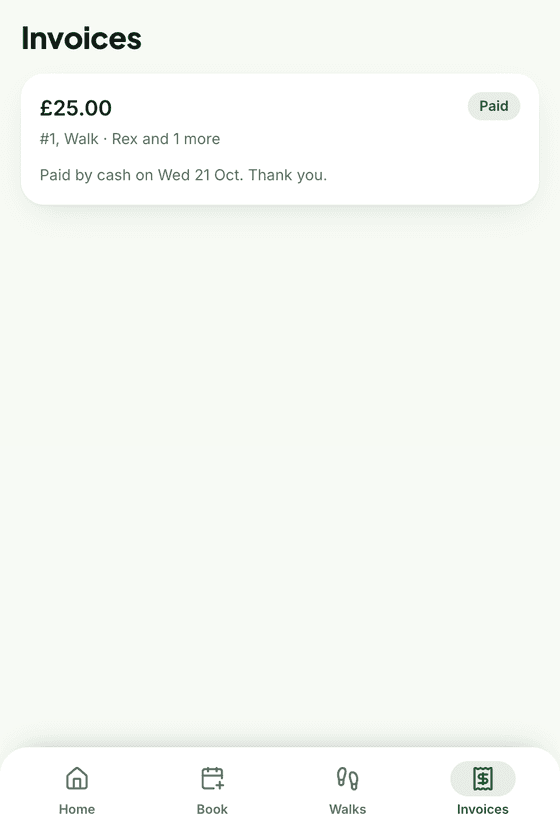
A portal your clients will actually use
Nothing to install. You invite a client by email, they sign in with a link, and everything about their dog is there: the next booking, the latest report, and invoices they can pay on the spot.
- Request a walk into any slot that is open to them
- Pay by card from the invoice, or see your bank details
- Keep their own details and their dog's vet and medical notes up to date
- An onboarding checklist so new clients finish setting up
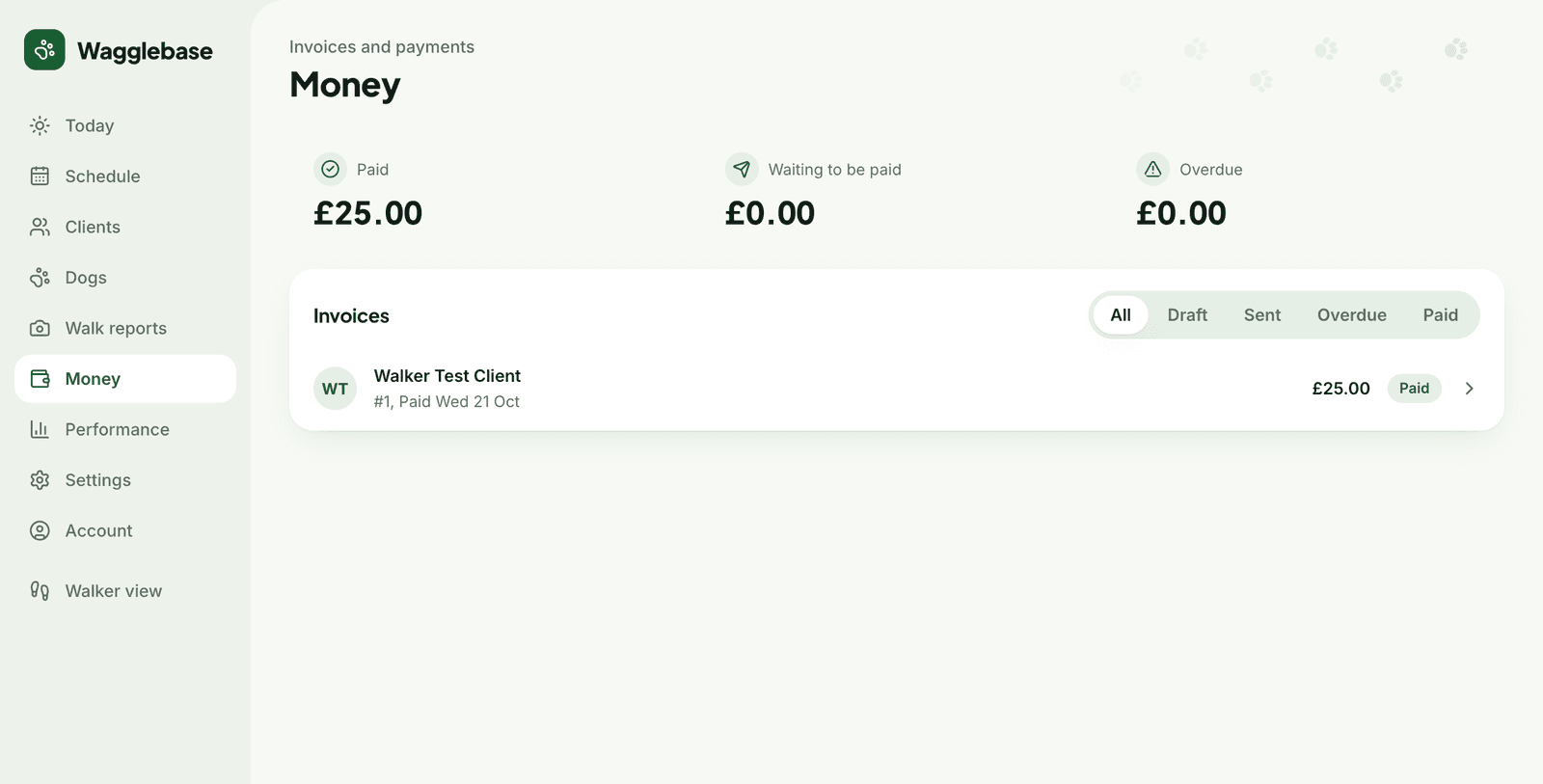
From finished walk to paid invoice
Finished walks collect under Ready to invoice. Tick the ones to include, check the lines and prices, and the invoice is numbered and ready to send.
- Card payments through your own Stripe account, paid straight to your bank
- Bank transfer and cash, marked paid when the money arrives
- Paid, waiting and overdue totals, with each invoice a click away
- A default walk price so invoices are mostly done before you start
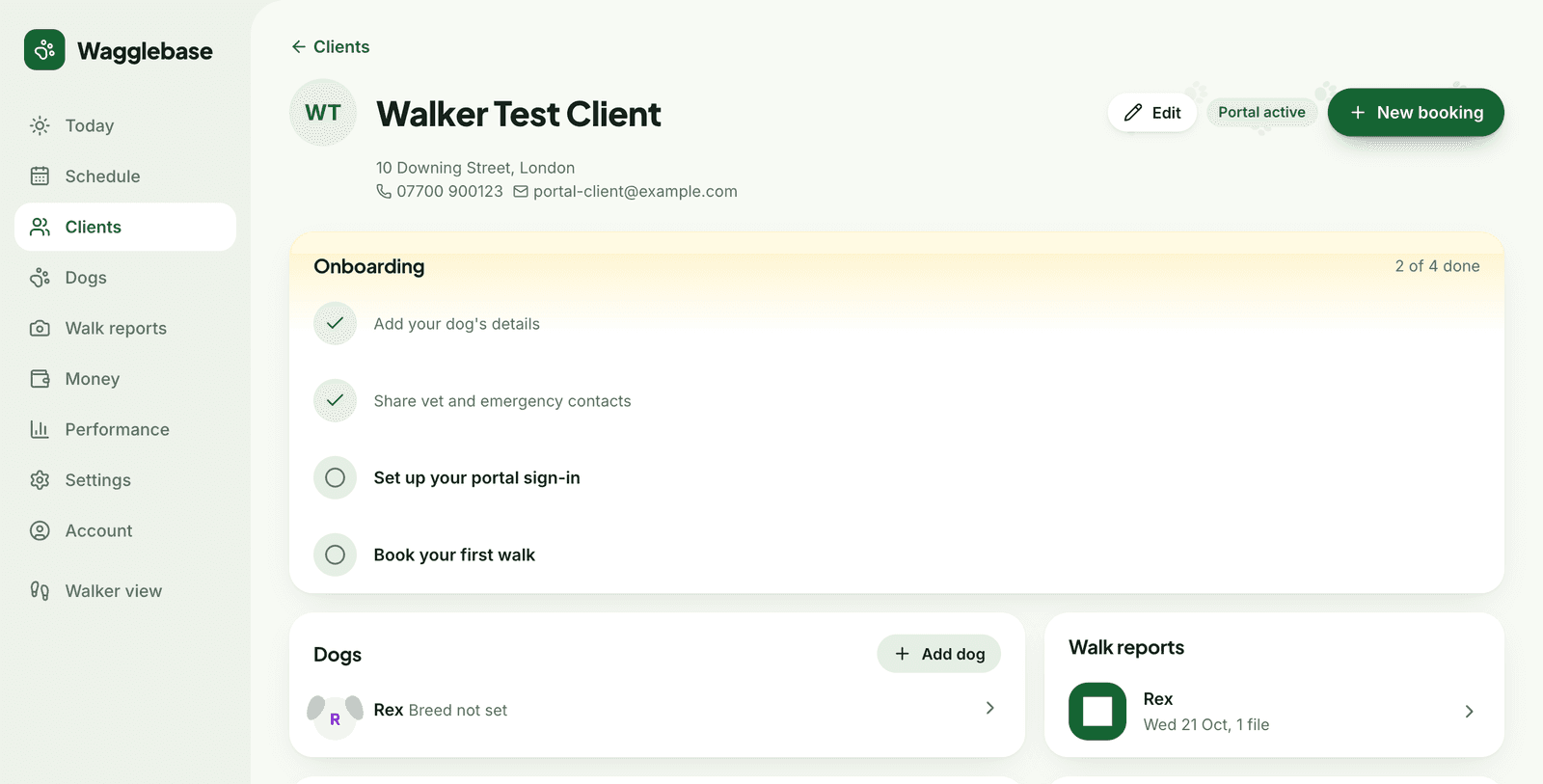
Everything about every dog, in one place
Each client page holds their dogs, what is coming up, their walk reports and their invoices. Each dog has a breed, vet details, medical notes, allergies and how they like to be handled.
- Group clients into rounds and areas
- Onboarding checklist for each new client, ticked by either of you
- Search across clients, dogs and breeds
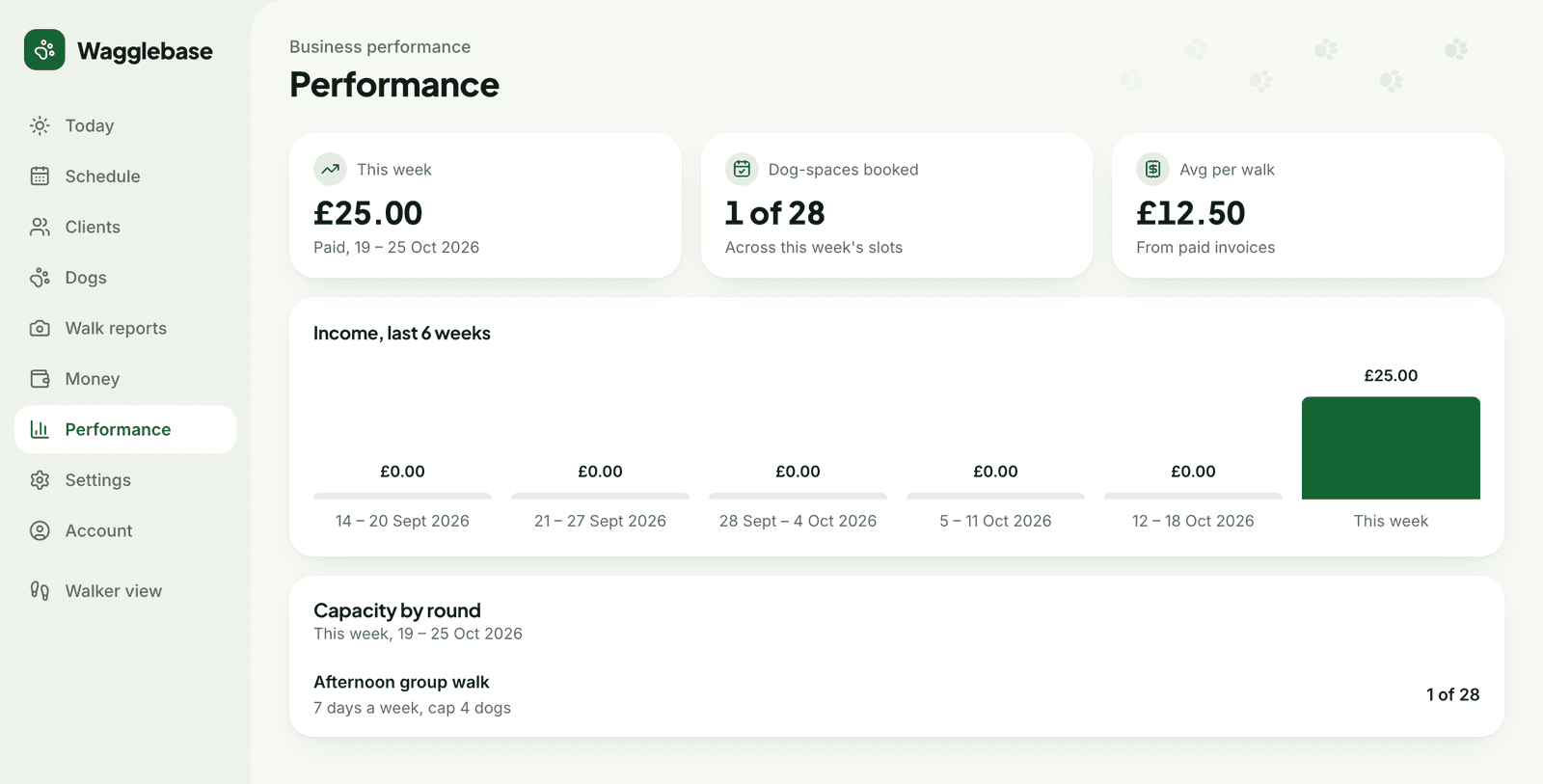
Know how the business is doing
Income by week, the average you earn per walk, and how full each round is. Enough to spot a quiet patch or a slot that could take two more dogs, without a spreadsheet.
- Weekly income from paid invoices
- Dog places booked against capacity, per round
- Your plan's usage on the Account page
See it with your own clients
Add a client, a dog and a slot, and walk through the whole thing in an afternoon. Free for up to 25 dogs.