Walk the dogs. Wagglebase handles the rest.
Bookings, recurring walk slots, photo reports your clients love and invoices that get paid. One calm place for the admin behind every walk.
Free for up to 25 dogsNo card neededSet up in an afternoon
Sound familiar?
Running a dog walking business is one part walking, three parts admin.
Bookings live in WhatsApp
“Can Bella come Thursday?” buried under forty messages, and a diary that only exists in your head.
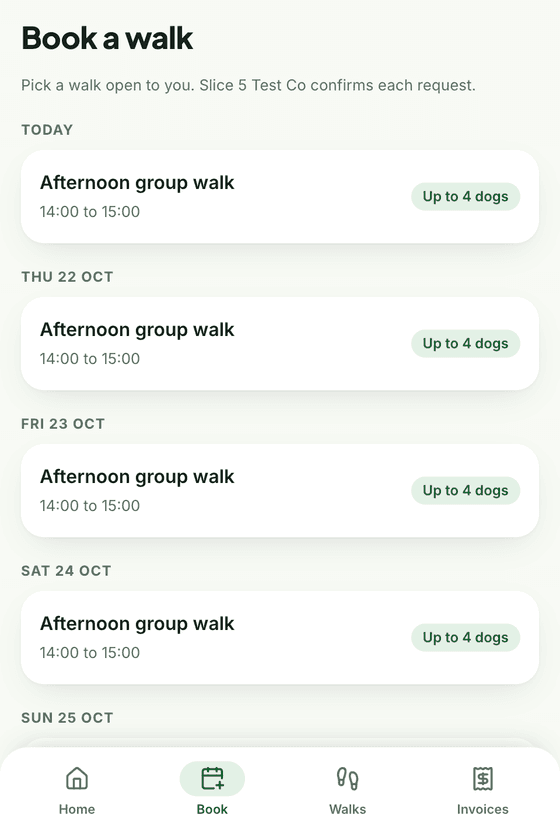
Walk slots with a capacity, and clients who request a space in them.
Photos sent one dog at a time
Every walk ends with ten minutes of forwarding pictures and typing the same update to each owner.
Photos upload during the walk. Tap finish and the report is sent.
Invoices chased by text
Totting up walks at the end of the month, then nudging the people who forgot to pay.
Invoices built from finished walks, paid by card, transfer or cash, with overdue in view.
What you get
Everything a small dog business needs, and nothing it does not.
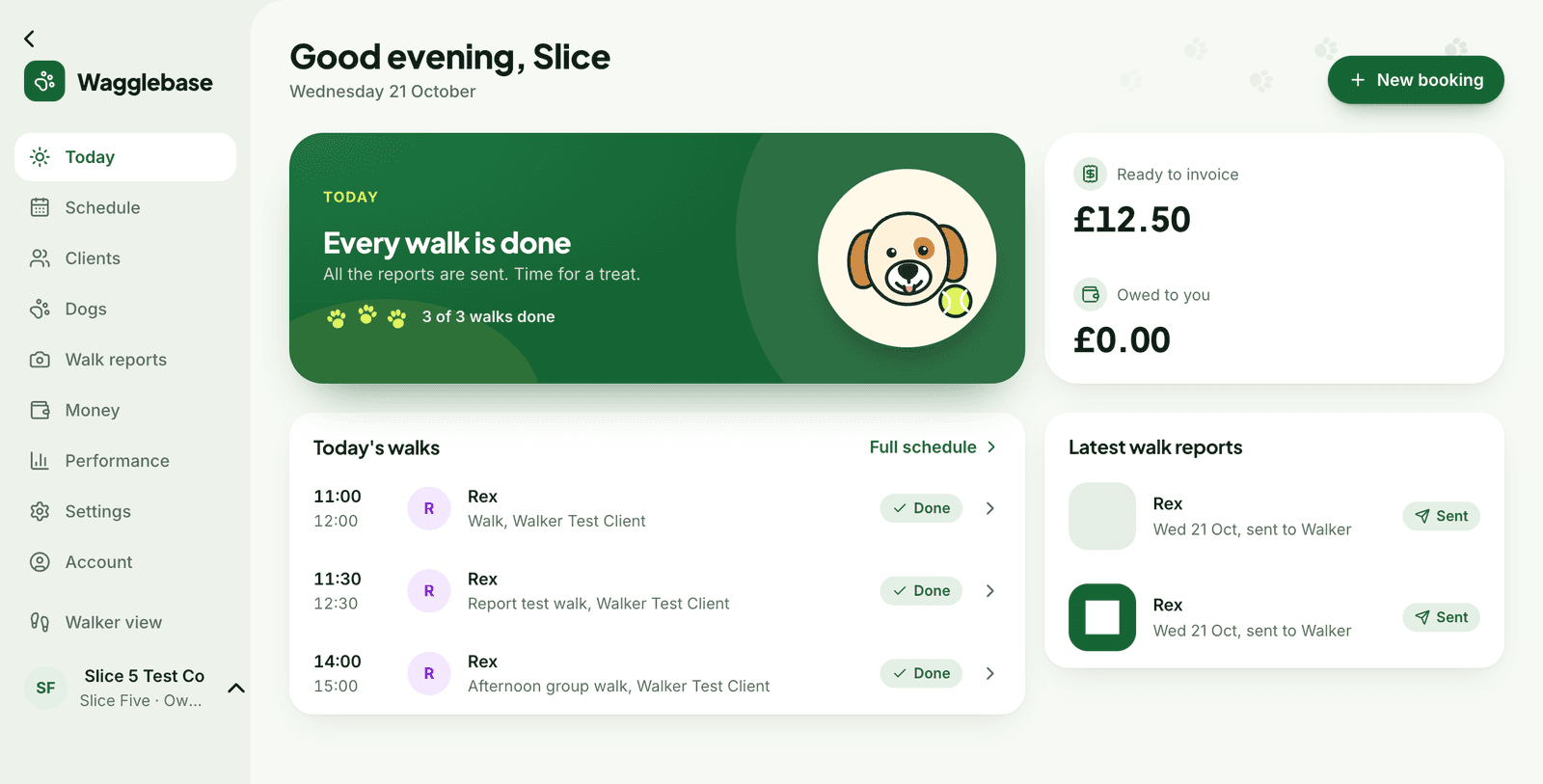
Your day at a glance
Open Wagglebase and see the next walk, who has asked for one, what is ready to invoice and what you are owed. No digging through messages.
- Next walk up, with each dog's handling notes
- Requests from clients, approved in one tap
- Ready to invoice and overdue, always in view
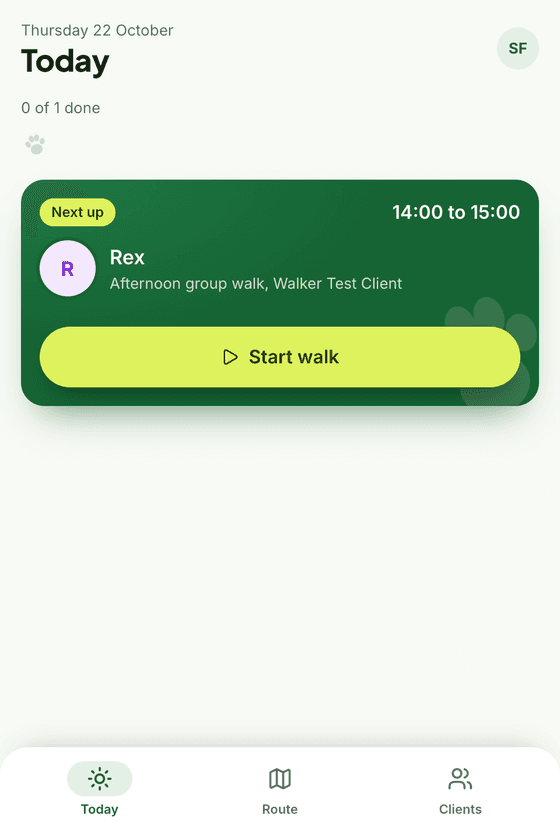
A phone view that walks with you
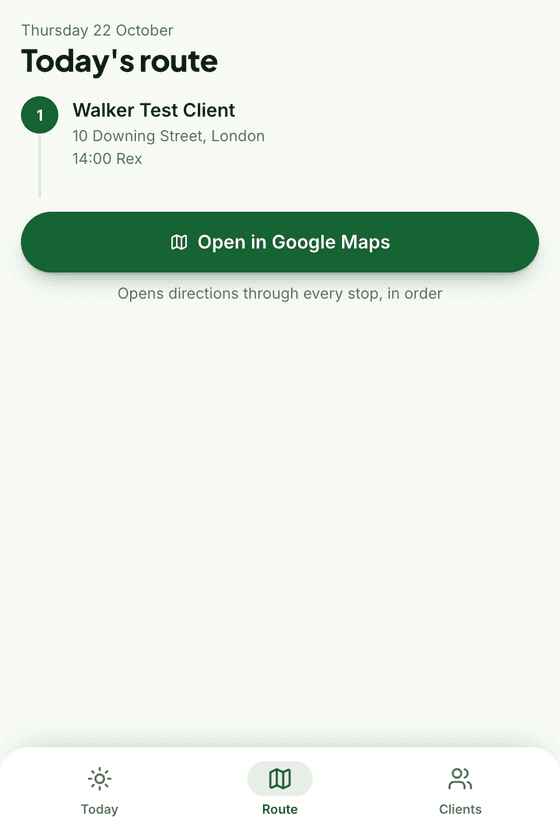
Start the walk, snap photos as you go and tap finish. The report is on its way to the owner before you are back at the van.
- Photos and videos upload during the walk, even on patchy signal
- Today's route opens in Google Maps, every stop in order
- Dog notes, vet details and allergies one tap away
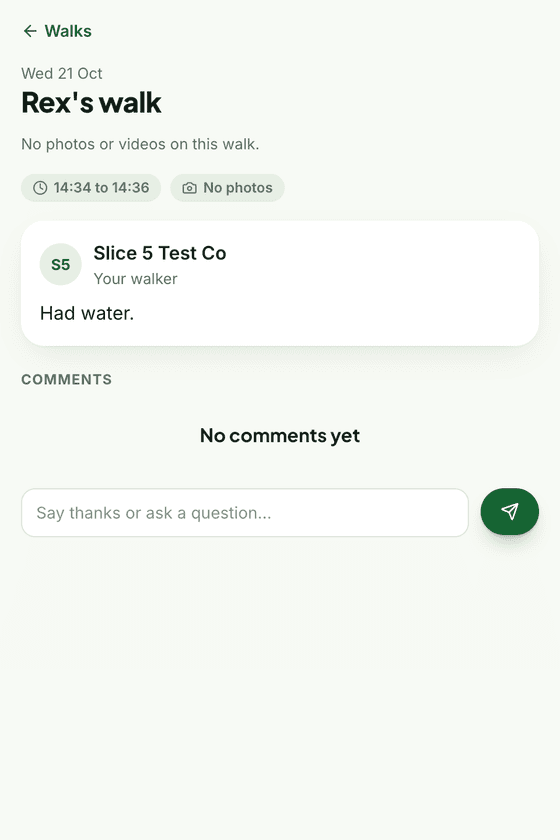
Reports your clients will screenshot
Every walk ends with photos, a note from you and the times. Owners see it in their own portal, reply to it, and book their next walk from the same place.
- No app to install, clients sign in with a link
- Comments on reports, both ways
- Clients request walks into your free slots
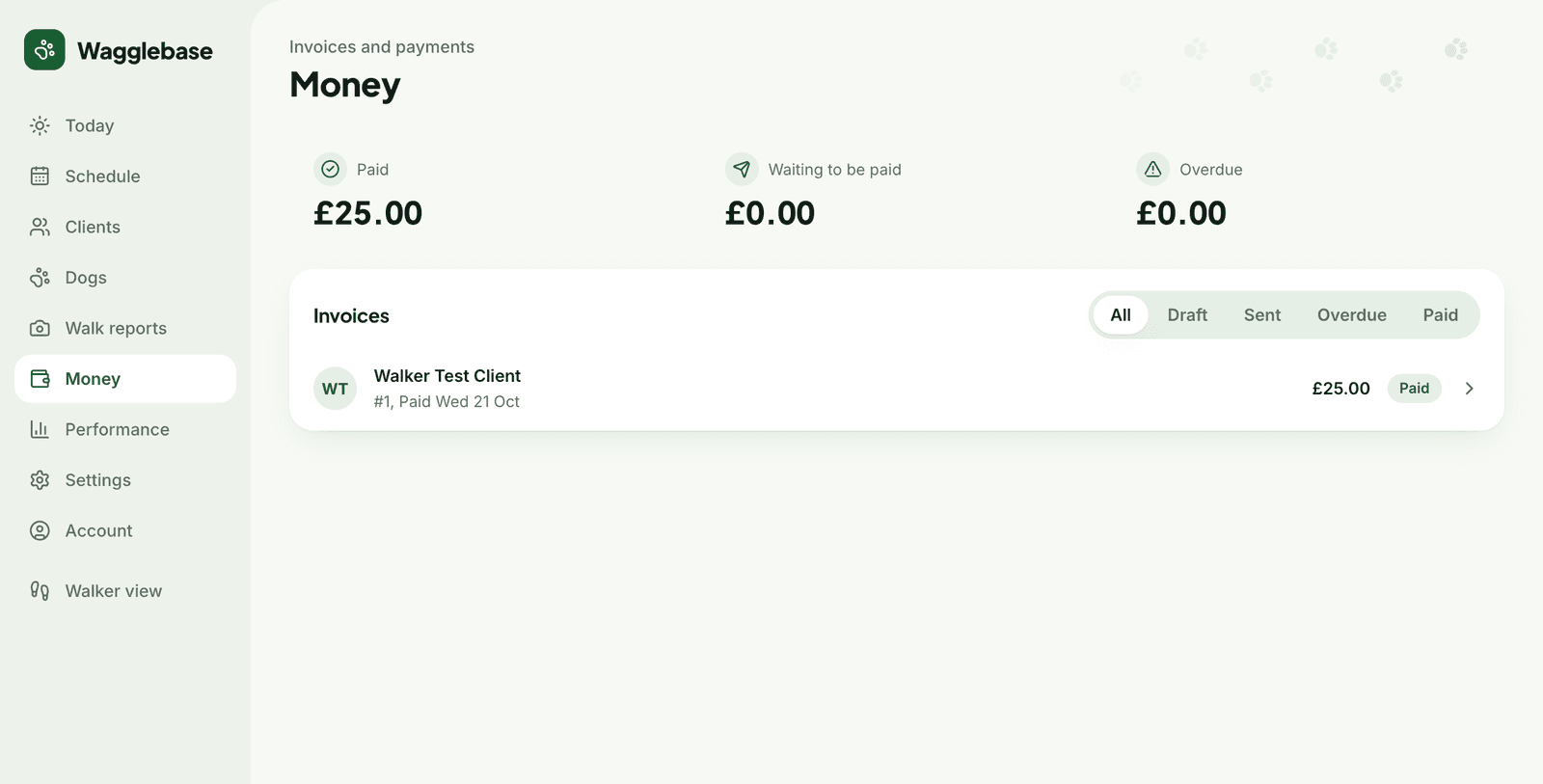
Invoices that get themselves paid
Finished walks pile up as ready to invoice. Create the invoice, send a card payment link through Stripe, or mark it paid by transfer or cash. Overdue stays in view until it is not.
- Invoices built from finished walks in two clicks
- Card payments through Stripe, straight to your bank
- Paid, waiting and overdue at a glance
Recurring walk slots
Set a slot once, with its days, times and how many dogs fit. Book clients in, or let them request a space.
Dog profiles
Breed, vet, medical notes, allergies and how each dog likes to be handled, on your phone when you need it.
Onboarding checklists
New clients see what is left to do, from vet details to their first booking. You see it too.
Rounds and areas
Group clients by round and open each slot to the right ones.
Performance
Income by week, average per walk and how full each round is.
Your own Stripe
Card payments land in your account. Wagglebase never holds your money.
How it works
Up and running in an afternoon
Add your clients and their dogs
Name, number, address, and each dog's breed and notes. Invite clients to the portal with a sign-in link.
Set up your walk slots
Your morning and afternoon rounds, which days they run and how many dogs fit. Book clients in, or let them request a space.
Walk, report, invoice
Start the walk on your phone, send the report when you finish, and turn finished walks into invoices at the end of the month.
Pricing
Free to start. Pro or Team when you grow.
The free plan runs a one-walker business end to end. Pro lifts the limits; Team brings in other walkers.
Free
£0forever
Everything you need to run one walker's round.
- Up to 25 dogs
- 1 walker
- 1 GB of photos and videos
- Report photos kept for 30 days
- Bookings, slots, reports, portal and invoicing
Pro
TBCper month
For a full solo round, with every report kept.
- Unlimited dogs
- 1 walker
- 10 GB of photos and videos
- Every report, photo and video kept forever
- Priority email support
Team
TBCper month
For businesses with more than one walker.
- Unlimited dogs
- Up to 10 walkers
- Staff sign-ins, roles and walk assignment
- 50 GB of photos and videos
- Every report, photo and video kept forever
Questions
Things walkers ask before they start
Do my clients need to install an app?
No. The client portal runs in the browser. You invite a client by email and they sign in with a link, with no password to remember.
How do card payments work?
Connect your own Stripe account from Settings. Each invoice gets a payment link and the money lands in your bank. Wagglebase never holds your money.
Can I take bank transfers and cash too?
Yes. Switch on the methods you accept, and mark an invoice as paid when the money arrives.
What happens when I pass 25 dogs?
Nothing breaks. The free plan is for one walker and up to 25 dogs. Pro lifts the limits and Team adds more walkers; both are coming soon. Join the waitlist and we will tell you first.
Is it only for walkers?
Walkers first. If you also do daycare or boarding, bookings, reports and invoicing work the same way.
Ready for calmer walk days?
Set up your clients, your slots and your first walk this afternoon. Free, and no card needed.